

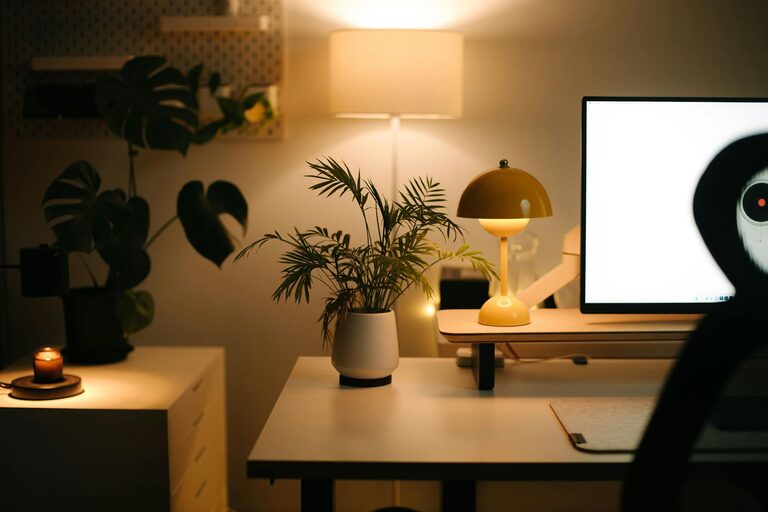
Creating a cozy and productive home office space is essential for anyone working remotely or managing tasks at home. A well-designed workspace not only improves efficiency but also helps maintain a healthy work-life balance. Here are some practical tips to help you craft an environment where comfort meets productivity.
Choose the Right Location
Your office’s location sets the tone for your workday. Ideally, select a quiet corner or a separate room with good natural light. Natural light can enhance your mood and reduce eye strain. If a separate room isn’t feasible, try to position your desk away from distractions such as busy household areas or noise sources.
Invest in a Comfortable Chair and Desk
Comfort is critical when spending long hours at your desk. A good ergonomic chair supports your posture and reduces the risk of back pain. Pair it with a desk at the right height for typing and writing. Adjustable desks can be helpful if you prefer alternating between sitting and standing.
Optimize Lighting
Besides natural light, supplement your workspace with ambient and task lighting. A desk lamp with adjustable brightness focuses light where you need it without causing glare on your screen. Avoid harsh overhead lighting, which can strain your eyes.
Declutter and Organize
Clutter can distract and overwhelm, affecting productivity. Keep your workspace neat with storage solutions like shelves, drawers, or desk organizers. Use cable management tools to avoid tangled wires. Establish a habit of clearing your desk at the end of each day.
Personalize Your Space
Adding personal touches can make your office feel inviting. Consider plants, artwork, or photos that inspire you. Plants also help improve air quality and add a natural element to the room. However, don’t overdo it—keep decorations minimal to maintain focus.
Use Technology Wisely
Equip your home office with reliable technology that supports your work. This includes a fast internet connection, a quality monitor, keyboard, and mouse. Noise-canceling headphones can be useful if you need to focus in a noisy household.
Manage Temperature and Air Quality
A comfortable temperature helps you stay focused. Use a fan, heater, or air conditioner as needed. If possible, open a window regularly to allow fresh air in. Poor air quality can cause fatigue and reduce productivity, so consider an air purifier if your space feels stuffy.
Establish Boundaries and Routine
Set clear limits between work and personal time. Communicate your work schedule with household members to minimize interruptions. Create a daily routine, including breaks, to maintain energy and prevent burnout.
Incorporate Ergonomic Accessories
Small additions like a wrist rest, footrest, or monitor stand can greatly improve comfort. Ensuring your screen is at eye level prevents neck strain. Ergonomic keyboard trays or mouse pads support your hands and wrists during long typing sessions.
Keep Essential Supplies Within Reach
Organize frequently used items so they are easily accessible. This reduces unnecessary movement and keeps you in the flow. Consider a small drawer or desk caddy for pens, notebooks, chargers, and sticky notes.
Encourage Movement Breaks
Sitting for extended periods can be harmful. Set reminders to stand, stretch, or walk briefly every hour. This not only reduces physical discomfort but also helps refresh your mind.
Sound Management
If noise distracts you, consider soundproofing measures like thick curtains, rugs, or acoustic panels. Alternatively, white noise machines or playlists of ambient sounds can help mask disruptive noises.
Final Thoughts
Designing a home office that balances coziness and productivity is about thoughtful choices tailored to your needs. A well-organized, comfortable, and personalized workspace supports focus and well-being, making remote work more enjoyable and effective. Start small by applying a few of these tips and adjust your space as you discover what works best for you.